A basic rack PDU does one job: it gets power from the wall to your equipment. An intelligent PDU (iPDU) does that too, but it also tells you how much power the rack is drawing, warns you before a circuit gets close to tripping, and on some models lets you switch individual outlets off and on from anywhere. The catch is that "intelligent" covers several quite different products at very different prices. This guide explains what each level adds, so you only pay for the features you'll actually use.
The four levels at a glance
Intelligent PDUs are built up in layers. Each level keeps everything from the one before and adds something on top.
| Level | Measures | Remote control | Best for |
|---|---|---|---|
| Basic PDU (Power Strip) | Nothing | None | Small comms cabinets, security and AV racks, sites where nobody needs power data |
| Input metered | Whole-PDU current, voltage, kW and kWh, viewable on the display and over the network | None | Capacity planning and overload alerts at rack level |
| Input metered, outlet switched | Whole-PDU readings | Each outlet on/off and reboot | Remote sites and equipment that locks up and needs a hard restart |
| Outlet metered, outlet switched | Whole-PDU and every individual outlet | Each outlet on/off and reboot | Data centres, colocation, MSPs billing or charging back power per device |
Some vendors also sell a "monitored" PDU with a local display only. It shows the load on the front panel but can't send it anywhere, so it doesn't count as intelligent here.
Input metered: know what the rack is drawing
An input metered iPDU measures the total power flowing through the unit. You can read it on the built-in display, but the real value is the network card: the PDU appears on your network with its own web page and can report to your monitoring system over SNMP.
That gives you three things a basic PDU can't:
- A true picture of capacity. Nameplate ratings on servers are usually well above what they actually draw. Measured data lets you fit more equipment into the rack with confidence, or prove that you can't.
- Early warning. You set a warning and a critical threshold. When the load crosses one, the PDU sends an email or SNMP alert, long before the breaker trips.
- Energy figures. kWh readings show what the rack actually costs to run, which matters more every time the power bill goes up.
For most business server rooms, this is the sweet spot. It answers "how close are we to the limit?" without paying for features you won't use.
Input metered, outlet switched: the remote reboot
Switching adds a relay behind each outlet, so you can turn any socket off and on from the PDU's web page. The classic use is a frozen router, modem or server at a site that's a three-hour drive away. Instead of calling someone out to pull a plug, you power-cycle that one outlet from your desk.
Switching also brings a few less obvious benefits:
- Staggered start-up. After a power cut, outlets come back one after another rather than all at once. That avoids the big inrush current that can trip a breaker the moment power returns.
- Unused outlets stay off. Nobody can plug in a fan heater or an unapproved device and overload the circuit.
- Load shedding during an outage. If the rack is running on UPS batteries, you can switch off non-critical gear to stretch the runtime for the equipment that matters. We cover this in our guide to UPS load calculation for a server rack.
Outlet metered, outlet switched: power data for every device
At the top level, the PDU measures every outlet separately as well as the total. Now you can see that one particular server draws 280 W while its twin draws 410 W, or that a device is drawing power when it's meant to be decommissioned.
This is the right choice when power data needs to be tied to a specific device or customer: colocation racks, MSPs charging clients for power, or IT teams tracking down which equipment is pushing a rack over its budget. Outlet metered, outlet switched iPDUs cost more, so if nobody will look at per-outlet figures, input metering is usually enough.
Which iPDU type do you need?
Answer three questions and we'll suggest the right level.
Pick an answer for each question to see a recommendation.
How an iPDU warns you before a breaker trips
A tripped breaker in a rack rarely happens out of nowhere. It's usually the result of load creeping up over months as equipment is added, until one busy afternoon or one server restart pushes it over. An intelligent PDU turns that slow creep into something you can see.
Take a common setup: a single-phase iPDU fed from a 32 A supply, with the outlets split across two banks, each protected by its own 16 A breaker. The total looks comfortable, but each bank has its own limit. If most of the heavy equipment is plugged into one bank, that bank can be close to 16 A while the PDU as a whole is only at half load.
| Bank | Breaker | Measured load | Use | Status |
|---|---|---|---|---|
| Bank 1 (servers, storage) | 16 A | 13.2 A | 83% | Warning alert sent |
| Bank 2 (switching, firewall) | 16 A | 3.1 A | 19% | Normal |
| PDU total | 32 A | 16.3 A | 51% | Normal |
Illustrative example. Banks and breaker ratings vary by model, so check the data sheet for your PDU.
With a basic PDU, you'd only find out about Bank 1 when it tripped. With an intelligent PDU set to warn at around 80%, you get an alert while there's still time to move a couple of power cords across to Bank 2.
Don't forget redundancy. In a rack with dual-corded servers and an A and B PDU, each PDU normally carries about half the load. If one feed fails, the other suddenly carries all of it. Set your thresholds so either PDU can take the whole rack on its own, which usually means keeping each one below about 40% in normal running.
Other features worth knowing about
The enLOGIC intelligent PDUs we supply include a few extras that matter in day-to-day use:
- Environmental sensors. Plug in temperature, humidity and door sensors and the PDU monitors the cabinet as well as the power, with no separate monitoring box to buy.
- Daisy-chaining. Several PDUs can share one network connection, which saves switch ports and IP addresses in a busy row.
- Hot-swappable network card. The management card can be replaced or upgraded without powering down the PDU or the equipment plugged into it.
- Locking power cords. Pair your iPDU with locking IEC power cords so a cord can't be knocked loose while someone works in the rack.
When a basic PDU is the better buy
Not every rack needs an intelligent PDU. A wall-mount cabinet holding a switch, an NVR and a modem at a small office draws very little power, and nobody is going to log in to check it. Here, a well-built basic PDU is the sensible choice, and the money saved is better spent on a UPS.
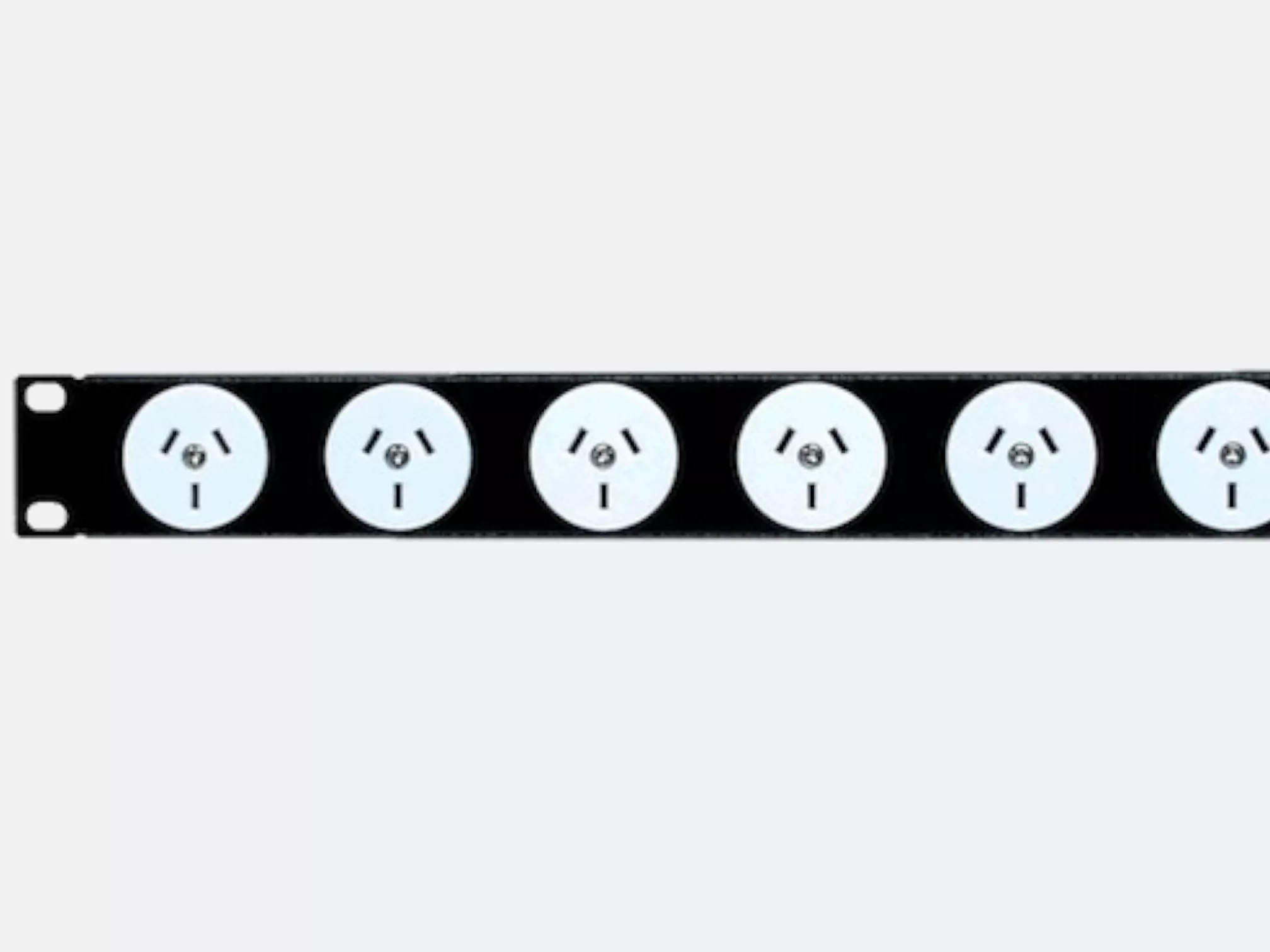
RackPower designs and manufactures its own Power Strips in New Zealand, in 3-pin and IEC versions, horizontal and vertical. If the standard range doesn't fit, our PDU configurator lets you choose the outlets, cord length and plug for your rack.
Frequently asked questions
Can I add metering to the basic PDUs I already have?
Yes. An inline power meter fits between the supply and an existing PDU and reports total load over the network. It won't give you per-outlet data or switching, but it's a low-cost way to get rack-level visibility without replacing working PDUs.
Do intelligent PDUs need their own network connection?
Each PDU, or each chain of linked PDUs, needs one network port to report remotely. The display on the PDU still works without a network connection.
Does an intelligent PDU replace a UPS?
No. A PDU distributes power; it doesn't store it. If the mains supply fails, an iPDU will tell you about it but can't keep anything running. For that you need a rack mount UPS, and the PDU plugs into the UPS output.
Will an iPDU work on a standard 10 A wall socket?
Some models are available with a standard NZ 3-pin plug for 10 A circuits. Higher-capacity models use a 16 A or 32 A industrial plug and need a matching outlet installed by an electrician. Check your supply before ordering.
Not sure which PDU suits your rack?
Tell us what's going in the cabinet and how you want to manage it, and we'll recommend the right PDU, whether that's an intelligent model or one of our NZ-made Power Strips. Get in touch with the RackPower team.