Network Cabinets for Critical Infrastructure: Roles, Types and System Context
In many projects the cabinet is the last thing specified: a steel box chosen after the switches, servers and UPS. In critical infrastructure that gets it backwards. The cabinet is the physical layer every other system depends on. It holds the weight, directs the airflow, carries the power and cabling, and controls who can touch the equipment.
This guide covers what a network cabinet actually does, the main types and when to use each, how to size one, and how it fits into the wider system around it, including New Zealand's seismic requirements.
The roles a cabinet plays
A good cabinet does six jobs at once. When one of them is neglected, it usually shows up later as overheating, tangled cabling, unauthorised changes or a cabinet that can't take the next upgrade.
1Structure
Standard 19-inch mounting on adjustable rails, rated to carry the full weight of servers, UPS and batteries without flexing.
2Airflow
Guides cool air through equipment front to back and lets hot air out, instead of trapping heat around it.
3Power path
Provides mounting for PDUs and a clean route from the UPS to every device, ideally on two separate feeds.
4Cable management
Keeps data and power cabling organised, labelled and separated, so changes don't mean disturbing live connections.
5Physical security
Locks out unauthorised access and, with electronic handles, records who opened which door and when.
6Protection and stability
Keeps dust and knocks out, and stays upright and anchored in an earthquake.
Types of network cabinet
| Type | Typical sizes | Best for | Watch out for |
|---|---|---|---|
| Wall-mount cabinet | 6U–12U | Small offices, branch sites, comms cupboards and security systems: patch panels, switches, a router or NVR | Limited depth and weight capacity. Not the place for servers, larger UPS units or battery cabinets |
| Floor-standing server cabinet | 42U–45U, 600 or 800 mm wide, 1000 mm deep | Server rooms, data centres, telco and main comms rooms: servers, storage, network core, rack UPS | Floor loading, access space front and back, seismic restraint |
| Network (wide) cabinet | 800 mm wide | Cabling-heavy installs: many patch panels, core switches, fibre | Takes more floor space; plan rows accordingly |
| Open frame rack | 2 or 4 post | Secure, climate-controlled rooms where access is already controlled | No physical security or airflow management of its own |
| Sealed or outdoor enclosure | Varies | Industrial sites, plant rooms, roadside and outdoor installations | Needs its own cooling and IP rating suited to the environment |
Wall-mount cabinets
RackPower's 6U and 12U wall cabinets are double-section swing designs. The rear section fixes to the wall and the front section hinges away from it, so you can reach the back of patch panels and switches without taking the cabinet down. They suit network and security equipment at sites that don't justify a full rack.
Floor-standing server cabinets
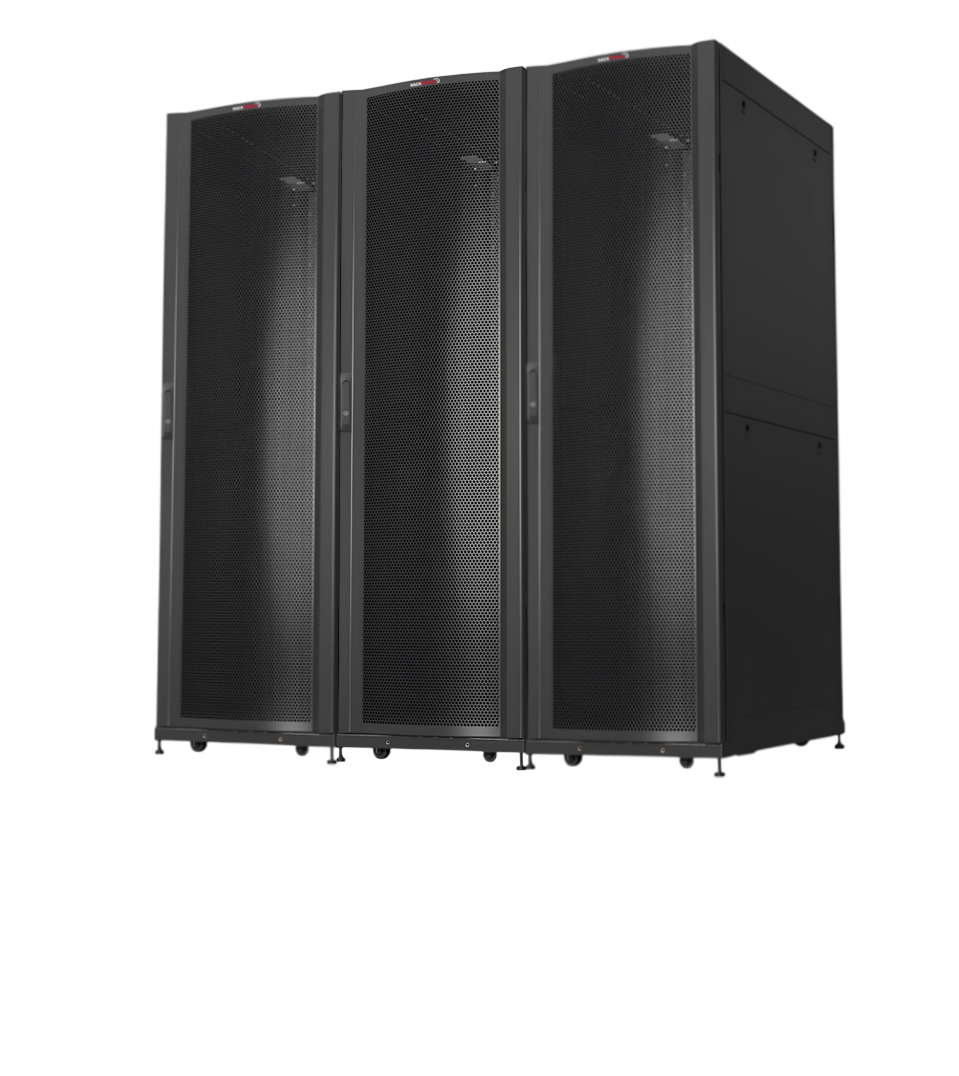
For anything critical, a floor-standing cabinet is the right platform. RackPower's Enterprise Series comes in four sizes: 42U 600 mm wide, 42U 800 mm wide, 45U 600 mm wide and 45U 800 mm wide, all 1000 mm deep.
Enterprise Series at a glance: 1,500 kg static load capacity, a 10-year structural warranty, more than 70% perforation on the front and bifold rear doors, four adjustable rails, two vertical cable and PDU trays, a four-way fan unit, three shelves and a RackPower 6-outlet PDU included. Supplied fully assembled, and built to EIA-310-E, IEC 297-2 and DIN 41494 rack standards.
600 mm or 800 mm wide?
Both take standard 19-inch equipment. The extra 200 mm on an 800 mm cabinet is space either side of the rails for vertical cable management. Choose 800 mm when the cabinet is cabling-heavy, such as a core switch cabinet or a patching cabinet with hundreds of ports. Choose 600 mm for server and UPS cabinets where the cabling is lighter and floor space matters.
Why 1000 mm deep?
Full-depth servers and storage can run to 800 mm or more on their own. A 1000 mm cabinet leaves room behind them for power cords, vertical PDUs and airflow. A cabinet that's too shallow forces cables against the rear door, blocking exhaust air and making maintenance difficult.
Sizing a cabinet
Rack space is measured in rack units (U): 1U is 44.45 mm. Add up the U of everything going in, then leave room to grow. A cabinet filled on day one is a problem on day two. As a rule, allow at least 25–30% spare space, and blank off unused U so cooling air can't bypass the equipment.
Cabinet planner
Enter what's going in the cabinet. The planner adds up the rack units, allows for growth, and suggests a RackPower cabinet.
Cabinet layout
Calculator loading. If this message does not change, JavaScript is being blocked on this page.
The cabinet in its system context
A cabinet isn't a stand-alone product. It's where power, cooling, cabling, monitoring and security systems all meet, and it has to be designed with each of them in mind.
Power
Critical cabinets should have two independent power paths. A typical layout runs an A feed through a rack-mount online UPS with a maintenance bypass, and a B feed from a second UPS or a separate mains circuit. Each feed supplies its own vertical PDU, mounted in the cabinet's rear trays, and dual-corded equipment takes one supply from each. Single-corded devices can be fed through an automatic transfer switch. Put the UPS and battery cabinets at the bottom of the rack: they're the heaviest items, and low weight keeps the cabinet stable. For sizing the UPS itself, see matching a UPS to your load, and for redundancy in more depth, our guide to UPS for critical systems.
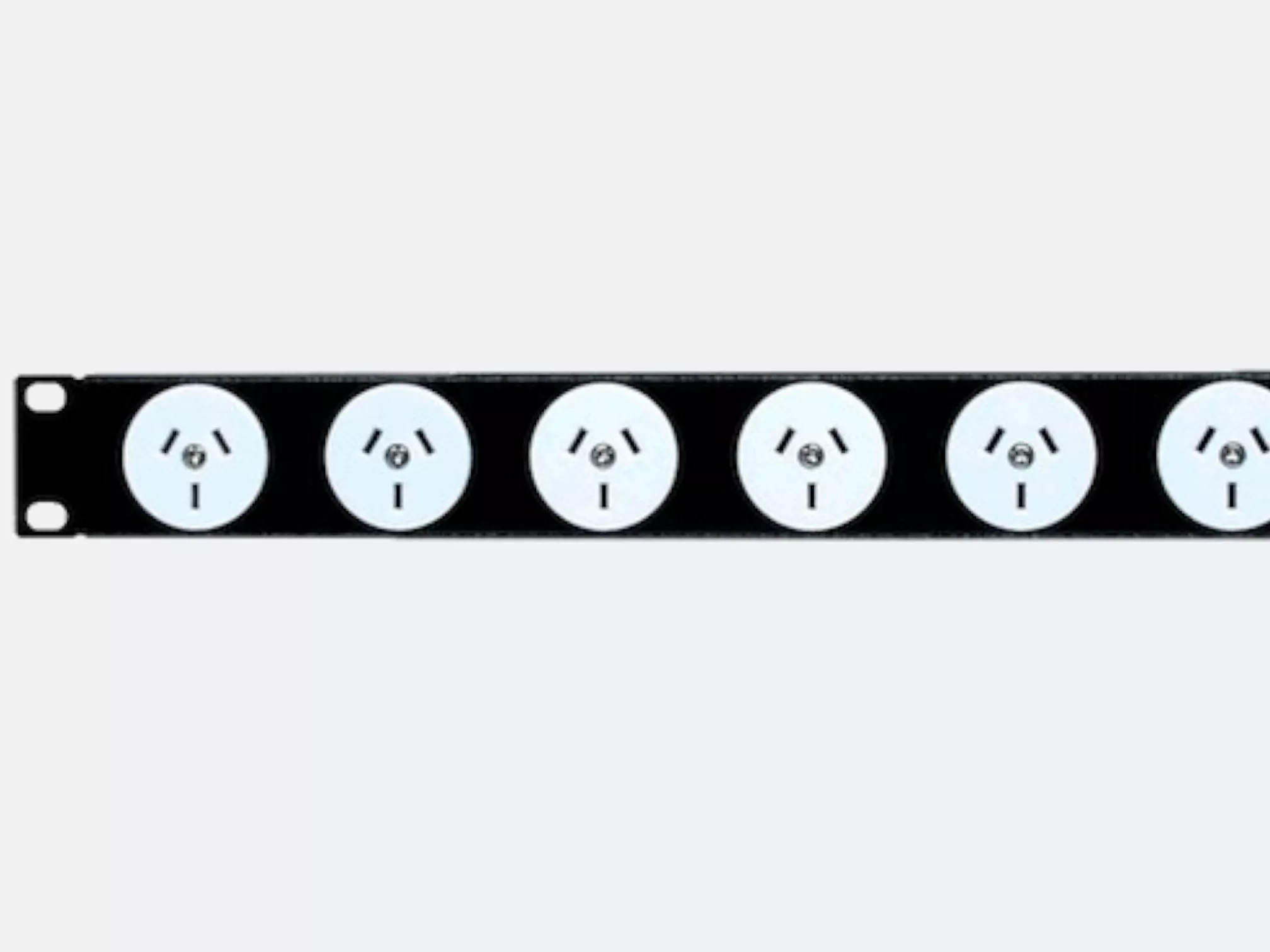
RackPower manufactures PDUs in New Zealand, including vertical IEC PDUs built to the outlet mix and length a cabinet needs, and supplies intelligent PDUs for metering and remote switching.
Cooling
Almost all rack equipment breathes front to back. The cabinet's job is to keep that path clear: perforated doors at the front and rear, equipment facing the same way, blanking panels in every unused U, and cable entries sealed so hot exhaust air can't loop back to the front. In rooms with several cabinets, face fronts towards fronts and backs towards backs to form hot and cold aisles. Heat is also the main thing that shortens UPS battery life, which we covered in our post on 10-year UPS batteries.
Cabling
Bring structured cabling in from above or below through dedicated entries, terminate it on patch panels at the top of the cabinet, and keep data cables on one side and power cords on the other. Horizontal cable managers between patch panels and switches keep patch leads short and traceable. Label both ends of everything: in an outage, nobody has time to trace an unlabelled cable.
Monitoring
A critical cabinet should report on itself. Metered PDUs show the load on each feed, so you can see a cabinet approaching its limits before a breaker trips. Temperature and humidity sensors at the front and rear doors show whether cooling is working. UPS alerts tell you when the cabinet is running on battery.
Physical security
Mechanical key locks control access but don't record it, and keys get copied and lost. For sites where access needs to be controlled and audited, the iHandle intelligent electronic swing handle replaces the standard handle with an electronic lock powered over the network (PoE), so cabinet access can be managed and logged alongside the rest of the site's access control.
Earthing
Cabinet frames, doors and side panels should be bonded to the protective earth as part of the electrical installation. Bonding protects people from fault currents and gives network equipment a stable reference. Have it done and verified by a licensed electrician under AS/NZS 3000.
Seismic restraint in New Zealand
A loaded 42U cabinet can weigh well over half a tonne, with most of it sitting low but plenty of mass high up. In an earthquake an unrestrained cabinet can walk, tip or topple, taking its equipment and possibly people with it. New Zealand's NZS 4219 standard covers the seismic performance of engineering systems in buildings, and critical facilities will often have specific requirements.
- Castors are for positioning, not standing on. Once a cabinet is in place, lower the levelling feet so it rests on them, not the wheels.
- Fix it down. Bolt floor-standing cabinets to the floor, or brace them to the structure, using fixings specified by a structural engineer for the site.
- Load from the bottom. Put UPS units, battery cabinets and the heaviest servers low to keep the centre of gravity down.
- Secure the contents. Use all four mounting points or rails for heavy equipment and fixed shelves rather than loose items on top.
Static load vs moving load: a cabinet's static load rating is for when it's standing still on its feet. Move cabinets empty or lightly loaded, and install the heavy equipment once the cabinet is in position.
Specification checklist
- Total rack units calculated, with 25–30% spare capacity
- Width chosen for the cabling load: 600 mm for server and UPS cabinets, 800 mm for cabling-heavy cabinets
- Depth suits the deepest equipment, with room behind for PDUs and cables
- Load rating covers the full weight of equipment, UPS and batteries
- Two power feeds, with PDUs sized to the load and the UPS on a bypass
- Front-to-back airflow, perforated doors and blanking panels for unused U
- Cable entry, cable management and labelling planned
- Monitoring for power and temperature
- Access control appropriate to the site
- Earth bonding and seismic restraint specified and installed
For full dimensions and options, download the RackPower cabinet brochure, or browse server cabinets, wall cabinets and rack accessories.
Specifying cabinets for a critical site?
RackPower supplies the cabinets, PDUs, UPS and access control that go inside them, so the whole rack can be specified together. Send us your equipment list and we'll put together a cabinet layout.
Contact RackPower Call 0800 452 140